OpenClaw打通了飞书、企业微信、Telegram 等二十多个平台,在国内很多人都喜欢用OpenClaw去接飞书,这还是得去注册个飞书的账号,下载个飞书的App,我平时QQ用得多一点,所以,这里就先试试QQ中的效果怎么样,它支持Markdown、图片、语音、文件等多媒体消息收发,手机端QQ、桌面端QQ均可使用。
首先,我们需要去QQ开放平台去创建机器人,获取到AppID和AppSecret。
先需要去QQ开放平台注册开发者账号->新建机器人


经过上面的操作之后,我们能拿到AppID和AppSecret了,现在开始去OpenClaw配置QQ Bot;
现需要安装插件openclaw plugins install @sliverp/qqbot@latest;
1
2
3
4
5
6
7
8
9
10
11
12
|
🦞 OpenClaw 2026.3.2 (85377a2) — I don't judge, but your missing API keys are absolutely judging you.

Downloading @sliverp/qqbot@latest…
Extracting /tmp/openclaw-npm-pack-ONpmIt/sliverp-qqbot-1.5.1.tgz…
WARNING: Plugin "qqbot" contains dangerous code patterns: Shell command execution detected (child_process) (/tmp/openclaw-plugin-NfQXeA/extract/package/bin/qqbot-cli.js:109)
Installing to /home/openclaw/.openclaw/extensions/qqbot…
Installing plugin dependencies…
00:40:40 [plugins] plugins.allow is empty; discovered non-bundled plugins may auto-load: qqbot (/home/openclaw/.openclaw/extensions/qqbot/index.ts). Set plugins.allow to explicit trusted ids.
Config overwrite: /home/openclaw/.openclaw/openclaw.json (sha256 8c464a00c370cf4d0f448aa947b364a03e04b23ff49097306db7159071b81db8 -> 0223e49e6f17d3cc2c9ba6d3c5b3d62ef260ed57565ea23f8a415b0579fad741, backup=/home/openclaw/.openclaw/openclaw.json.bak)
Installed plugin: qqbot
Restart the gateway to load plugins.
|
安装好之后,需要重启一下
1
2
| systemctl --user restart openclaw-gateway.service
|
再执行配置命令openclaw channels add --channel qqbot --token "AppID:AppSecret";
1
2
3
4
5
6
| 🦞 OpenClaw 2026.3.2 (85377a2) — I run on caffeine, JSON5, and the audacity of "it worked on my machine."
01:38:00 [plugins] plugins.allow is empty; discovered non-bundled plugins may auto-load: qqbot (/home/openclaw/.openclaw/extensions/qqbot/index.ts). Set plugins.allow to explicit trusted ids.
Config overwrite: /home/openclaw/.openclaw/openclaw.json (sha256 0223e49e6f17d3cc2c9ba6d3c5b3d62ef260ed57565ea23f8a415b0579fad741 -> a66351affdab7ed05c44b756791be4f2abd22d99925224d2e455b2a17370f818, backup=/home/openclaw/.openclaw/openclaw.json.bak)
Added QQ Bot account "default".
|
我们再重启一下systemctl --user restart openclaw-gateway.service
这里,我们先测试机器人能不能使用,先进入到开发->沙箱配置


然后再扫描机器人的二维码,

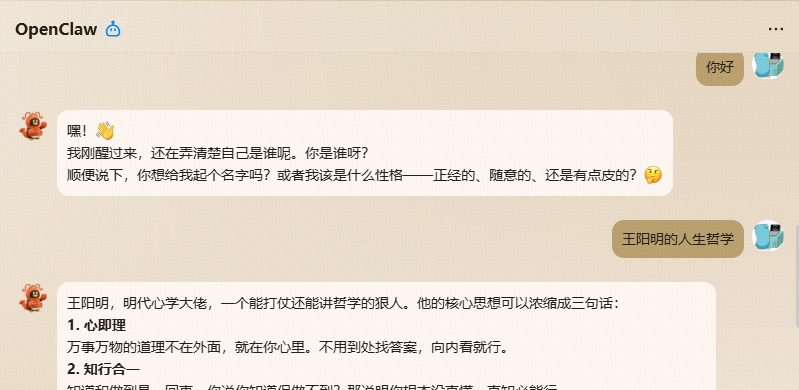
至此,咱们也就能通过QQ机器人来和大模型聊天

之前的方式有点繁琐,现在有一种更简单的方式了,注册好开发者之后,直接访问下面网站
https://q.qq.com/qqbot/openclaw/index.html;
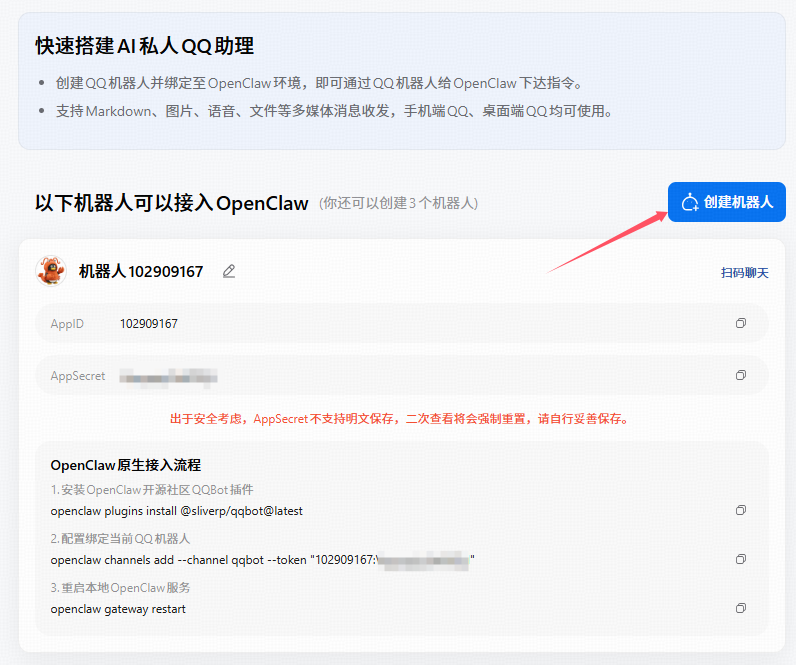
直接点击 *** 创建机器人***,就直接在消息列表出现了,它会自动把我们的账号加入到沙箱配置的在消息列表配置中
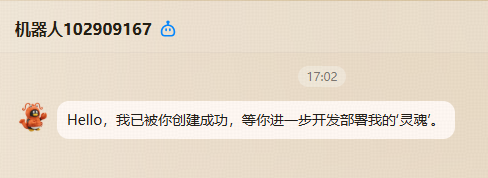
然后按照几步走
1
2
3
4
5
6
7
8
9
| OpenClaw原生接入流程
1.安装OpenClaw开源社区QQBot插件
openclaw plugins install @sliverp/qqbot@latest
2.配置绑定当前QQ机器人
openclaw channels add --channel qqbot --token "102909167:Vqzyqqiy3xkP0ZyI"
3.重启本地OpenClaw服务
openclaw gateway restart
|
那么OpenClaw还能干些啥,后面咱们再继续探索。