这周GitHub炸了:AI偷懒哲学爆火、小米代码助手冲9000星、1600个包被投毒
近 7 天 GitHub 新增项目 41 个破 200 星。AI Agent 相关占了六成,安全圈炸了两个漏洞,还有人在终端里做出了一个 MMO 网游。下面逐个拆。
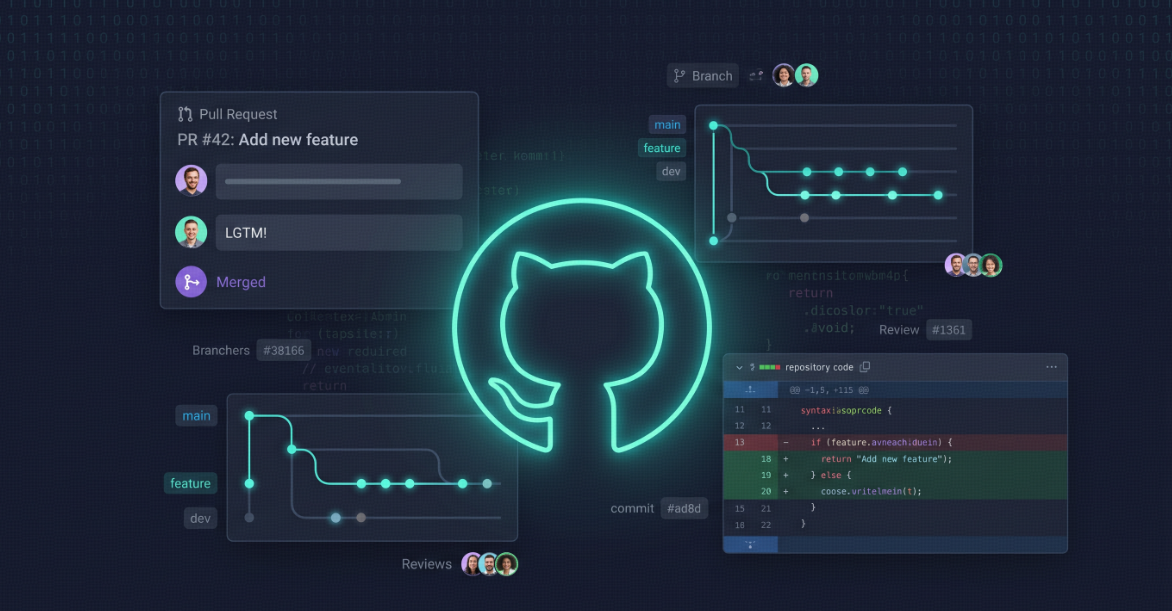
近 7 天 GitHub 新增项目 41 个破 200 星。AI Agent 相关占了六成,安全圈炸了两个漏洞,还有人在终端里做出了一个 MMO 网游。下面逐个拆。

导语
肌肉在运动时会偷偷给大脑”发信号”,一种被广泛宣传的”补脑神药”可能正在缩短你的寿命,而当你刷第30个短视频时,你的认知疲劳已经在悄然堆积。这一期,我们追踪到一篇关于”肌肉如何向大脑传递抗抑郁信号”的重磅研究,一个让”补脑保健品”从业者坐立不安的大规模追踪发现,以及自我调节学习策略如何真正帮你记住更多东西。5个话题,从分子到行为,带你看见大脑的真相。
你可能正在服用一种随处可见的关节保健品,但它可能正在加速你的记忆衰退。与此同时,科学家发现”被压抑的记忆”这个流行文化宠儿正在卷土重来——而记忆研究者们发出了严厉警告。今天的速报,带你走进记忆科学最前沿的六个发现。
今日导语
你以为你的大脑已经全力运转了?MIT的科学家告诉你:成人脑中约30%的突触是”沉默”的——它们安静地等待着被某个新知识唤醒。与此同时,你每天吃的关节保健品可能正悄悄加速记忆衰退,而一个世纪老的心理学测试刚刚暴露了AI最大的认知缺陷。今天这期速报,不仅有让你瞠目结舌的神经科学新发现,更有拿来就能用的学习方法和生活建议。坐稳了,我们出发。

每一期,带你读懂记忆与大脑的最新科学进展。
Documentation Index
Fetch the complete documentation index at: https://code.claude.com/docs/llms.txt
Use this file to discover all available pages before exploring further.
从配置环境到跨并行会话扩展,充分利用 Claude Code 的提示和模式。
Claude Code 是一个代理式编码环境。与等待回答问题的聊天机器人不同,Claude Code 可以读取你的文件、运行命令、进行更改,并在你观看、重定向或完全离开的情况下自主解决问题。
这改变了你的工作方式。与其自己编写代码并要求 Claude 审查,不如描述你想要什么,让 Claude 弄清楚如何构建它。Claude 会探索、规划和实现。
但这种自主性仍然伴随着学习曲线。Claude 在某些约束条件下工作,你需要理解这些约束。
本指南涵盖了在 Anthropic 内部团队和在各种代码库、语言和环境中使用 Claude Code 的工程师中已被证明有效的模式。有关代理循环如何在幕后工作的信息,请参阅 Claude Code 如何工作。
大多数最佳实践都基于一个约束:Claude 的 context window 填充速度很快,随着填充,性能会下降。
Claude 的 context window 保存你的整个对话,包括每条消息、Claude 读取的每个文件和每个命令输出。但这可能会很快填满。单个调试会话或代码库探索可能会生成并消耗数万个 token。
这很重要,因为当 context 填充时,LLM 性能会下降。当 context window 即将满时,Claude 可能会开始”遗忘”早期的指令或犯更多错误。context window 是最重要的资源。使用 自定义状态行 持续跟踪 context 使用情况,并查看 减少 token 使用 了解减少 token 使用的策略。
当 Claude 能够验证自己的工作时,例如运行测试、比较屏幕截图和验证输出,它的表现会显著提高。
没有明确的成功标准,它可能会产生看起来正确但实际上不起作用的东西。你成为唯一的反馈循环,每个错误都需要你的关注。
| 策略 | 之前 | 之后 |
|---|---|---|
| 提供验证标准 | “实现一个验证电子邮件地址的函数” | “编写一个 validateEmail 函数。示例测试用例:user@example.com 为真,invalid 为假,user@.com 为假。实现后运行测试” |
| 以视觉方式验证 UI 更改 | “让仪表板看起来更好” | “[粘贴屏幕截图] 实现此设计。对结果进行屏幕截图并与原始设计进行比较。列出差异并修复它们” |
| 解决根本原因,而不是症状 | “构建失败” | “构建失败,出现此错误:[粘贴错误]。修复它并验证构建成功。解决根本原因,不要抑制错误” |
UI 更改可以使用 Chrome 中的 Claude 扩展 进行验证。它在浏览器中打开新标签页,测试 UI,并迭代直到代码工作。
你的验证也可以是测试套件、linter 或检查输出的 Bash 命令。投资使你的验证非常可靠。
让 Claude 直接跳到编码可能会产生解决错误问题的代码。使用 Plan Mode 将探索与执行分开。
推荐的工作流有四个阶段:
claude (Plan Mode) theme 1
2
read /src/auth and understand how we handle sessions and login.
also look at how we manage environment variables for secrets.
claude (Plan Mode) theme 1
2
I want to add Google OAuth. What files need to change?
What's the session flow? Create a plan.
按 `Ctrl+G` 在文本编辑器中打开计划进行直接编辑,然后 Claude 继续。
claude (Normal Mode) theme 1
2
implement the OAuth flow from your plan. write tests for the
callback handler, run the test suite and fix any failures.
claude (Normal Mode) theme 1
commit with a descriptive message and open a PR
对于范围明确且修复很小的任务(如修复拼写错误、添加日志行或重命名变量),要求 Claude 直接执行。
当你对方法不确定、更改修改多个文件或你不熟悉被修改的代码时,规划最有用。如果你能用一句话描述 diff,跳过计划。
Claude 可以推断意图,但它不能读心术。引用特定文件、提及约束,并指出示例模式。
| 策略 | 之前 | 之后 |
|---|---|---|
| 限定任务范围。 指定哪个文件、什么场景和测试偏好。 | “为 foo.py 添加测试” | “为 foo.py 编写测试,涵盖用户已注销的边界情况。避免 mock。” |
| 指向来源。 指导 Claude 到可以回答问题的来源。 | “为什么 ExecutionFactory 有这样奇怪的 api?” | “查看 ExecutionFactory 的 git 历史并总结其 api 是如何形成的” |
| 参考现有模式。 指向代码库中的模式。 | “添加日历小部件” | “查看主页上现有小部件的实现方式以了解模式。HotDogWidget.php 是一个很好的例子。按照模式实现一个新的日历小部件,让用户选择月份并向前/向后分页以选择年份。从头开始构建,除了代码库中已使用的库外,不使用其他库。” |
| 描述症状。 提供症状、可能的位置以及”修复”的样子。 | “修复登录错误” | “用户报告会话超时后登录失败。检查 src/auth/ 中的身份验证流程,特别是 token 刷新。编写一个失败的测试来重现问题,然后修复它” |
当你在探索并能够改正方向时,模糊的提示可能很有用。像 "你会改进这个文件的什么?" 这样的提示可以表面你不会想到要问的东西。
你可以通过多种方式向 Claude 提供丰富的数据:
@ 引用文件,而不是描述代码的位置。Claude 在响应前读取文件。/permissions 来允许列表经常使用的域。cat error.log | claude 直接发送文件内容。一些设置步骤使 Claude Code 在所有会话中显著更有效。有关扩展功能的完整概述和何时使用每个功能,请参阅 扩展 Claude Code。
CLAUDE.md 是一个特殊文件,Claude 在每次对话开始时读取。包括 Bash 命令、代码风格和工作流规则。这给 Claude 提供了它无法从代码中推断的持久上下文。
/init 命令分析你的代码库以检测构建系统、测试框架和代码模式,为你提供坚实的基础来精化。
CLAUDE.md 文件没有必需的格式,但保持简短和易读。例如:
1 | # Code style |
CLAUDE.md 在每个会话中加载,所以只包括广泛适用的东西。对于仅有时相关的域知识或工作流,改用 skills。Claude 按需加载它们,不会使每次对话都膨胀。
保持简洁。对于每一行,问自己:*”删除这个会导致 Claude 犯错吗?”* 如果不会,删除它。膨胀的 CLAUDE.md 文件会导致 Claude 忽略你的实际指令!
| ✅ 包括 | ❌ 排除 |
|---|---|
| Claude 无法猜测的 Bash 命令 | Claude 可以通过读取代码弄清楚的任何东西 |
| 与默认值不同的代码风格规则 | Claude 已经知道的标准语言约定 |
| 测试指令和首选测试运行器 | 详细的 API 文档(改为链接到文档) |
| 存储库礼仪(分支命名、PR 约定) | 经常变化的信息 |
| 特定于你的项目的架构决策 | 长解释或教程 |
| 开发者环境怪癖(必需的环境变量) | 自明的实践,如”编写干净的代码” |
| 常见陷阱或非显而易见的行为 | 文件逐个描述代码库 |
如果 Claude 继续做你不想要的事情,尽管有反对的规则,该文件可能太长,规则被遗漏了。如果 Claude 问你在 CLAUDE.md 中回答的问题,措辞可能不明确。像对待代码一样对待 CLAUDE.md:当事情出错时审查它,定期修剪它,并通过观察 Claude 的行为是否实际改变来测试更改。
你可以通过添加强调(例如”IMPORTANT”或”YOU MUST”)来调整指令以改进遵守。将文件检入 git,以便你的团队可以贡献。该文件随时间增加价值。
CLAUDE.md 文件可以使用 @path/to/import 语法导入其他文件:
1 | See @README.md for project overview and @package.json for available npm commands. |
你可以在多个位置放置 CLAUDE.md 文件:
~/.claude/CLAUDE.md):适用于所有 Claude 会话./CLAUDE.md):检入 git 以与你的团队共享root/CLAUDE.md 和 root/foo/CLAUDE.md 都会自动拉入默认情况下,Claude Code 请求可能修改你的系统的操作的权限:文件写入、Bash 命令、MCP 工具等。这是安全的但繁琐。在第十次批准后,你不是真的在审查,你只是点击通过。有两种方式来减少这些中断:
npm run lint 或 git commit)或者,使用 --dangerously-skip-permissions 来绕过所有权限检查,用于包含的工作流,如修复 lint 错误或生成样板。
CLI 工具是与外部服务交互的最 context 高效的方式。如果你使用 GitHub,安装 gh CLI。Claude 知道如何使用它来创建问题、打开拉取请求和读取评论。没有 gh,Claude 仍然可以使用 GitHub API,但未认证的请求经常会触发速率限制。
Claude 也有效地学习它不知道的 CLI 工具。尝试像 Use 'foo-cli-tool --help' to learn about foo tool, then use it to solve A, B, C. 这样的提示。
使用 MCP servers,你可以要求 Claude 从问题跟踪器实现功能、查询数据库、分析监控数据、集成来自 Figma 的设计并自动化工作流。
Hooks 在 Claude 工作流中的特定点自动运行脚本。与 CLAUDE.md 指令不同,hooks 是确定性的,保证操作发生。
Claude 可以为你编写 hooks。尝试像 “编写一个在每次文件编辑后运行 eslint 的 hook” 或 “编写一个阻止写入迁移文件夹的 hook” 这样的提示。运行 /hooks 进行交互式配置,或直接编辑 .claude/settings.json。
Skills 使用特定于你的项目、团队或域的信息扩展 Claude 的知识。Claude 在相关时自动应用它们,或者你可以使用 /skill-name 直接调用它们。
通过向 .claude/skills/ 添加带有 SKILL.md 的目录来创建 skill:
1 | --- |
Skills 也可以定义你直接调用的可重复工作流:
1 | --- |
运行 /fix-issue 1234 来调用它。对于具有你想手动触发的副作用的工作流,使用 disable-model-invocation: true。
Subagents 在自己的 context 中运行,拥有自己的一组允许的工具。它们对于读取许多文件或需要专门关注而不会使你的主对话混乱的任务很有用。
1 | --- |
明确告诉 Claude 使用 subagents:*”使用 subagent 来审查此代码的安全问题。”*
Plugins 将 skills、hooks、subagents 和 MCP 服务器捆绑到来自社区和 Anthropic 的单个可安装单元中。如果你使用类型化语言,安装 代码智能 plugin 来为 Claude 提供精确的符号导航和编辑后的自动错误检测。
有关在 skills、subagents、hooks 和 MCP 之间选择的指导,请参阅 扩展 Claude Code。
你与 Claude Code 沟通的方式显著影响结果的质量。
当加入新代码库时,使用 Claude Code 进行学习和探索。你可以问 Claude 你会问另一个工程师的相同类型的问题:
foo.rs 第 134 行的 async move { ... } 做什么?CustomerOnboardingFlowImpl 处理哪些边界情况?foo() 而不是 bar()?以这种方式使用 Claude Code 是一个有效的入职工作流,改进了加入时间并减少了对其他工程师的负担。无需特殊提示:直接提问。
Claude 会问你可能还没有考虑过的东西,包括技术实现、UI/UX、边界情况和权衡。
1 | I want to build [brief description]. Interview me in detail using the AskUserQuestion tool. |
一旦规范完成,启动新会话来执行它。新会话有干净的 context,完全专注于实现,你有一个书面规范可以参考。
对话是持久的和可逆的。利用这一点!
最好的结果来自紧密的反馈循环。虽然 Claude 有时会在第一次尝试时完美地解决问题,但快速改正它通常会更快地产生更好的解决方案。
Esc**:使用 Esc 键在中途停止 Claude。Context 被保留,所以你可以重定向。Esc + Esc 或 /rewind**:按 Esc 两次或运行 /rewind 来打开 rewind 菜单并恢复之前的对话和代码状态,或从选定的消息进行总结。"撤销那个"**:让 Claude 恢复其更改。/clear**:在不相关的任务之间重置 context。长会话与无关的 context 可能会降低性能。如果你在一个会话中对同一问题改正了 Claude 两次以上,context 就充满了失败的方法。运行 /clear 并使用更具体的提示重新开始,该提示包含你学到的东西。干净的会话与更好的提示几乎总是优于长会话与累积的改正。
当你接近 context 限制时,Claude Code 会自动压缩对话历史,这保留了重要的代码和决策,同时释放空间。
在长会话中,Claude 的 context window 可能会充满无关的对话、文件内容和命令。这可能会降低性能,有时会分散 Claude 的注意力。
/clear 来完全重置 context window/compact <instructions>,如 /compact Focus on the API changesEsc + Esc 或 /rewind,选择消息检查点,并选择 从这里总结。这会压缩从该点开始的消息,同时保持早期 context 完整。"When compacting, always preserve the full list of modified files and any test commands" 这样的指令来自定义压缩行为,以确保关键 context 在总结中存活/btw。答案出现在可关闭的覆盖层中,永远不会进入对话历史,所以你可以检查细节而不增加 context。由于 context 是你的基本约束,subagents 是可用的最强大的工具之一。当 Claude 研究代码库时,它读取许多文件,所有这些都消耗你的 context。Subagents 在单独的 context windows 中运行并报告摘要:
1 | Use subagents to investigate how our authentication system handles token |
subagent 探索代码库、读取相关文件并报告发现,所有这些都不会使你的主对话混乱。
你也可以在 Claude 实现某些东西后使用 subagents 进行验证:
1 | use a subagent to review this code for edge cases |
Claude 在更改前自动检查点。双击 Escape 或运行 /rewind 来打开 rewind 菜单。你可以仅恢复对话、仅恢复代码、恢复两者或从选定的消息进行总结。有关详细信息,请参阅 Checkpointing。
与其仔细规划每一步,你可以告诉 Claude 尝试一些冒险的事情。如果不起作用,rewind 并尝试不同的方法。检查点在会话中持续,所以你可以关闭你的终端并稍后仍然 rewind。
Claude Code 在本地保存对话。当任务跨越多个会话时,你不必重新解释 context:
1 | claude --continue # Resume the most recent conversation |
使用 /rename 给会话起描述性名称,如 "oauth-migration" 或 "debugging-memory-leak",以便你稍后可以找到它们。像对待分支一样对待会话:不同的工作流可以有单独的、持久的 context。
一旦你对一个 Claude 有效,通过并行会话、非交互模式和扇出模式来增加你的输出。
到目前为止,一切都假设一个人、一个 Claude 和一个对话。但 Claude Code 水平扩展。本部分中的技术展示了你如何能做更多。
使用 claude -p "your prompt",你可以非交互地运行 Claude,不需要会话。非交互模式是你将 Claude 集成到 CI 管道、pre-commit hooks 或任何自动化工作流中的方式。输出格式让你以编程方式解析结果:纯文本、JSON 或流式 JSON。
1 | # One-off queries |
有三种主要方式来运行并行会话:
除了并行化工作,多个会话启用了质量关注的工作流。新鲜的 context 改进了代码审查,因为 Claude 不会偏向于它刚刚编写的代码。
例如,使用 Writer/Reviewer 模式:
| 会话 A(Writer) | 会话 B(Reviewer) |
|---|---|
为我们的 API 端点实现速率限制器 |
|
审查 @src/middleware/rateLimiter.ts 中的速率限制器实现。查找边界情况、竞态条件和与我们现有中间件模式的一致性。 |
|
这是审查反馈:[会话 B 输出]。解决这些问题。 |
你可以用测试做类似的事情:让一个 Claude 编写测试,然后另一个编写代码来通过它们。
对于大型迁移或分析,你可以跨许多并行 Claude 调用分配工作:
1 | for file in $(cat files.txt); do |
你也可以将 Claude 集成到现有的数据/处理管道中:
1 | claude -p "<your prompt>" --output-format json | your_command |
在开发期间使用 --verbose 进行调试,在生产中关闭它。
这些是常见的错误。尽早识别它们可以节省时间:
修复:在不相关的任务之间
/clear。
修复:在两次失败的改正后,
/clear并编写一个更好的初始提示,包含你学到的东西。
修复:无情地修剪。如果 Claude 已经在没有指令的情况下正确地做某事,删除它或将其转换为 hook。
修复:始终提供验证(测试、脚本、屏幕截图)。如果你不能验证它,不要发布它。
修复:狭隘地限定调查或使用 subagents,以便探索不会消耗你的主 context。
本指南中的模式不是一成不变的。它们是通常效果很好的起点,但可能不是每种情况的最优选择。
有时你_应该_让 context 累积,因为你深入一个复杂的问题,历史很有价值。有时你应该跳过规划,让 Claude 弄清楚,因为任务是探索性的。有时模糊的提示正是你想要的,因为你想看看 Claude 如何解释问题,然后再限制它。
注意什么有效。当 Claude 产生很好的输出时,注意你做了什么:提示结构、你提供的 context、你所在的模式。当 Claude 遇到困难时,问为什么。Context 太嘈杂了吗?提示太模糊了吗?任务对于一次通过来说太大了吗?
随着时间的推移,你会培养没有指南能捕捉的直觉。你会知道何时具体,何时开放,何时规划,何时探索,何时清除 context,何时让它累积。
Documentation Index
Fetch the complete documentation index at: https://code.claude.com/docs/llms.txt
Use this file to discover all available pages before exploring further.
使用 CLAUDE.md 文件为 Claude 提供持久指令,并让 Claude 通过自动记忆功能自动积累学习内容。
每个 Claude Code 会话都从一个全新的 context window 开始。两种机制可以跨会话传递知识:
本页面涵盖以下内容:
.claude/rules/ 将规则范围限定为特定文件类型Claude Code 有两个互补的记忆系统。两者都在每次对话开始时加载。Claude 将它们视为上下文,而不是强制配置。您的指令越具体和简洁,Claude 遵循它们的一致性就越高。
| CLAUDE.md 文件 | 自动记忆 | |
|---|---|---|
| 谁编写 | 您 | Claude |
| 包含内容 | 指令和规则 | 学习和模式 |
| 范围 | 项目、用户或组织 | 每个工作树 |
| 加载到 | 每个会话 | 每个会话(前 200 行) |
| 用于 | 编码标准、工作流、项目架构 | 构建命令、调试见解、Claude 发现的偏好 |
当您想指导 Claude 的行为时,使用 CLAUDE.md 文件。自动记忆让 Claude 从您的更正中学习,无需手动操作。
subagents 也可以维护自己的自动记忆。有关详细信息,请参阅 subagent 配置。
CLAUDE.md 文件是 markdown 文件,为项目、您的个人工作流或整个组织为 Claude 提供持久指令。您以纯文本形式编写这些文件;Claude 在每个会话开始时读取它们。
CLAUDE.md 文件可以位于多个位置,每个位置都有不同的范围。更具体的位置优先于更广泛的位置。
| 范围 | 位置 | 目的 | 用例示例 | 共享对象 |
|---|---|---|---|---|
| 托管策略 | • macOS:/Library/Application Support/ClaudeCode/CLAUDE.md• Linux 和 WSL: /etc/claude-code/CLAUDE.md• Windows: C:\Program Files\ClaudeCode\CLAUDE.md |
由 IT/DevOps 管理的组织范围指令 | 公司编码标准、安全策略、合规要求 | 组织中的所有用户 |
| 项目指令 | ./CLAUDE.md 或 ./.claude/CLAUDE.md |
项目的团队共享指令 | 项目架构、编码标准、常见工作流 | 通过源代码控制的团队成员 |
| 用户指令 | ~/.claude/CLAUDE.md |
所有项目的个人偏好 | 代码样式偏好、个人工具快捷方式 | 仅您(所有项目) |
工作目录上方目录层次结构中的 CLAUDE.md 文件在启动时完整加载。子目录中的 CLAUDE.md 文件在 Claude 读取这些目录中的文件时按需加载。有关完整的解析顺序,请参阅 CLAUDE.md 文件如何加载。
对于大型项目,您可以使用 项目规则 将指令分解为特定主题的文件。规则允许您将指令范围限定为特定文件类型或子目录。
项目 CLAUDE.md 可以存储在 ./CLAUDE.md 或 ./.claude/CLAUDE.md 中。创建此文件并添加适用于在项目上工作的任何人的指令:构建和测试命令、编码标准、架构决策、命名约定和常见工作流。这些指令通过版本控制与您的团队共享,因此请关注项目级标准而不是个人偏好。
CLAUDE.md 文件在每个会话开始时加载到 context window 中,与您的对话一起消耗令牌。因为它们是上下文而不是强制配置,您编写指令的方式会影响 Claude 遵循它们的可靠性。具体、简洁、结构良好的指令效果最好。
大小:每个 CLAUDE.md 文件目标在 200 行以下。较长的文件消耗更多上下文并降低遵守度。如果您的指令变得很大,请使用 导入 或 .claude/rules/ 文件进行拆分。
结构:使用 markdown 标题和项目符号来分组相关指令。Claude 扫描结构的方式与读者相同:有组织的部分比密集段落更容易遵循。
具体性:编写具体到足以验证的指令。例如:
npm test“而不是”测试您的更改”src/api/handlers/“而不是”保持文件有组织”一致性:如果两条规则相互矛盾,Claude 可能会任意选择一条。定期审查您的 CLAUDE.md 文件、子目录中的嵌套 CLAUDE.md 文件和 .claude/rules/ 以删除过时或冲突的指令。在 monorepos 中,使用 claudeMdExcludes 跳过来自与您的工作无关的其他团队的 CLAUDE.md 文件。
CLAUDE.md 文件可以使用 @path/to/import 语法导入其他文件。导入的文件在启动时展开并加载到上下文中,与引用它们的 CLAUDE.md 一起。
允许相对路径和绝对路径。相对路径相对于包含导入的文件解析,而不是工作目录。导入的文件可以递归导入其他文件,最大深度为五跳。
要引入 README、package.json 和工作流指南,请在 CLAUDE.md 中的任何位置使用 @ 语法引用它们:
1 | 有关项目概述,请参阅 @README,有关此项目的可用 npm 命令,请参阅 @package.json。 |
对于您不想签入的个人偏好,从您的主目录导入文件。导入进入共享 CLAUDE.md,但它指向的文件保留在您的机器上:
1 | # 个人偏好 |
有关组织指令的更结构化方法,请参阅 .claude/rules/。
Claude Code 通过从当前工作目录向上遍历目录树来读取 CLAUDE.md 文件,检查沿途的每个目录。这意味着如果您在 foo/bar/ 中运行 Claude Code,它会从 foo/bar/CLAUDE.md 和 foo/CLAUDE.md 加载指令。
Claude 还在当前工作目录下的子目录中发现 CLAUDE.md 文件。它们不是在启动时加载,而是在 Claude 读取这些子目录中的文件时包含。
如果您在大型 monorepo 中工作,其中其他团队的 CLAUDE.md 文件被拾取,请使用 claudeMdExcludes 跳过它们。
--add-dir 标志使 Claude 可以访问主工作目录外的其他目录。默认情况下,不加载这些目录中的 CLAUDE.md 文件。
要也从其他目录加载 CLAUDE.md 文件,包括 CLAUDE.md、.claude/CLAUDE.md 和 .claude/rules/*.md,请设置 CLAUDE_CODE_ADDITIONAL_DIRECTORIES_CLAUDE_MD 环境变量:
1 | CLAUDE_CODE_ADDITIONAL_DIRECTORIES_CLAUDE_MD=1 claude --add-dir ../shared-config |
.claude/rules/ 组织规则对于较大的项目,您可以使用 .claude/rules/ 目录将指令组织到多个文件中。这使指令保持模块化并更容易让团队维护。规则也可以 范围限定为特定文件路径,因此它们仅在 Claude 处理匹配文件时加载到上下文中,减少噪音并节省上下文空间。
在项目的 .claude/rules/ 目录中放置 markdown 文件。每个文件应涵盖一个主题,具有描述性文件名,如 testing.md 或 api-design.md。所有 .md 文件都被递归发现,因此您可以将规则组织到子目录中,如 frontend/ 或 backend/:
1 | your-project/ |
没有 paths frontmatter 的规则在启动时加载,优先级与 .claude/CLAUDE.md 相同。
规则可以使用带有 paths 字段的 YAML frontmatter 范围限定为特定文件。这些条件规则仅在 Claude 处理与指定模式匹配的文件时适用。
1 | --- |
没有 paths 字段的规则无条件加载并适用于所有文件。路径范围规则在 Claude 读取与模式匹配的文件时触发,而不是在每次工具使用时。
在 paths 字段中使用 glob 模式按扩展名、目录或任何组合匹配文件:
| 模式 | 匹配 |
|---|---|
**/*.ts |
任何目录中的所有 TypeScript 文件 |
src/**/* |
src/ 目录下的所有文件 |
*.md |
项目根目录中的 Markdown 文件 |
src/components/*.tsx |
特定目录中的 React 组件 |
您可以指定多个模式并使用大括号扩展在一个模式中匹配多个扩展名:
1 | --- |
.claude/rules/ 目录支持符号链接,因此您可以维护一组共享规则并将它们链接到多个项目中。符号链接被解析并正常加载,循环符号链接被检测并优雅处理。
此示例链接共享目录和单个文件:
1 | ln -s ~/shared-claude-rules .claude/rules/shared |
~/.claude/rules/ 中的个人规则适用于您机器上的每个项目。使用它们来处理不是项目特定的偏好:
1 | ~/.claude/rules/ |
用户级规则在项目规则之前加载,给予项目规则更高的优先级。
对于在团队中部署 Claude Code 的组织,您可以集中指令并控制加载哪些 CLAUDE.md 文件。
组织可以部署一个集中管理的 CLAUDE.md,适用于机器上的所有用户。此文件无法通过个人设置排除。
在大型 monorepos 中,祖先 CLAUDE.md 文件可能包含与您的工作无关的指令。claudeMdExcludes 设置允许您按路径或 glob 模式跳过特定文件。
此示例排除顶级 CLAUDE.md 和来自父文件夹的规则目录。将其添加到 .claude/settings.local.json 以使排除保持本地到您的机器:
1 | { |
模式使用 glob 语法与绝对文件路径匹配。您可以在任何 设置层:用户、项目、本地或托管策略中配置 claudeMdExcludes。数组跨层合并。
托管策略 CLAUDE.md 文件无法排除。这确保组织范围指令始终适用,无论个人设置如何。
自动记忆让 Claude 在您不编写任何内容的情况下跨会话积累知识。Claude 在工作时为自己保存笔记:构建命令、调试见解、架构笔记、代码样式偏好和工作流习惯。Claude 不会每个会话都保存内容。它根据信息在未来对话中是否有用来决定值得记住的内容。
自动记忆默认开启。要切换它,在会话中打开 /memory 并使用自动记忆切换,或在项目设置中设置 autoMemoryEnabled:
1 | { |
要通过环境变量禁用自动记忆,请设置 CLAUDE_CODE_DISABLE_AUTO_MEMORY=1。
每个项目在 ~/.claude/projects/<project>/memory/ 获得自己的记忆目录。<project> 路径来自 git 存储库,因此同一存储库中的所有工作树和子目录共享一个自动记忆目录。在 git 存储库外,使用项目根目录。
要将自动记忆存储在不同位置,请在用户或本地设置中设置 autoMemoryDirectory:
1 | { |
此设置从策略、本地和用户设置接受。它不从项目设置(.claude/settings.json)接受,以防止共享项目将自动记忆写入重定向到敏感位置。
目录包含 MEMORY.md 入口点和可选的主题文件:
1 | ~/.claude/projects/<project>/memory/ |
MEMORY.md 充当记忆目录的索引。Claude 在整个会话中读取和写入此目录中的文件,使用 MEMORY.md 跟踪存储的内容。
自动记忆是机器本地的。同一 git 存储库中的所有工作树和子目录共享一个自动记忆目录。文件不在机器或云环境之间共享。
MEMORY.md 的前 200 行在每次对话开始时加载。第 200 行之外的内容在会话开始时不加载。Claude 通过将详细笔记移到单独的主题文件中来保持 MEMORY.md 简洁。
此 200 行限制仅适用于 MEMORY.md。CLAUDE.md 文件无论长度如何都完整加载,尽管较短的文件会产生更好的遵守度。
主题文件如 debugging.md 或 patterns.md 在启动时不加载。Claude 在需要信息时使用其标准文件工具按需读取它们。
Claude 在您的会话期间读取和写入记忆文件。当您在 Claude Code 界面中看到”Writing memory”或”Recalled memory”时,Claude 正在主动更新或读取 ~/.claude/projects/<project>/memory/。
自动记忆文件是纯 markdown,您可以随时编辑或删除。运行 /memory 从会话中浏览和打开记忆文件。
/memory 查看和编辑/memory 命令列出在当前会话中加载的所有 CLAUDE.md 和规则文件,让您切换自动记忆开或关,并提供打开自动记忆文件夹的链接。选择任何文件在您的编辑器中打开它。
当您要求 Claude 记住某些内容时,例如”始终使用 pnpm,而不是 npm”或”记住 API 测试需要本地 Redis 实例”,Claude 将其保存到自动记忆。要改为向 CLAUDE.md 添加指令,直接要求 Claude,例如”将其添加到 CLAUDE.md”,或通过 /memory 自己编辑文件。
这些是 CLAUDE.md 和自动记忆最常见的问题,以及调试步骤。
CLAUDE.md 是上下文,不是强制。Claude 读取它并尝试遵循它,但没有严格遵守的保证,特别是对于模糊或冲突的指令。
要调试:
/memory 验证您的 CLAUDE.md 文件正在加载。如果文件未列出,Claude 看不到它。运行 /memory 并选择自动记忆文件夹来浏览 Claude 保存的内容。一切都是纯 markdown,您可以读取、编辑或删除。
超过 200 行的文件消耗更多上下文并可能降低遵守度。将详细内容移到使用 @path 导入引用的单独文件中(请参阅 导入其他文件),或将您的指令拆分到 .claude/rules/ 文件中。
/compact 后指令似乎丢失了CLAUDE.md 完全幸存压缩。在 /compact 后,Claude 从磁盘重新读取您的 CLAUDE.md 并将其新鲜重新注入会话。如果指令在压缩后消失,它仅在对话中给出,未写入 CLAUDE.md。将其添加到 CLAUDE.md 以使其在会话中持久化。
有关大小、结构和具体性的指导,请参阅 编写有效的指令。
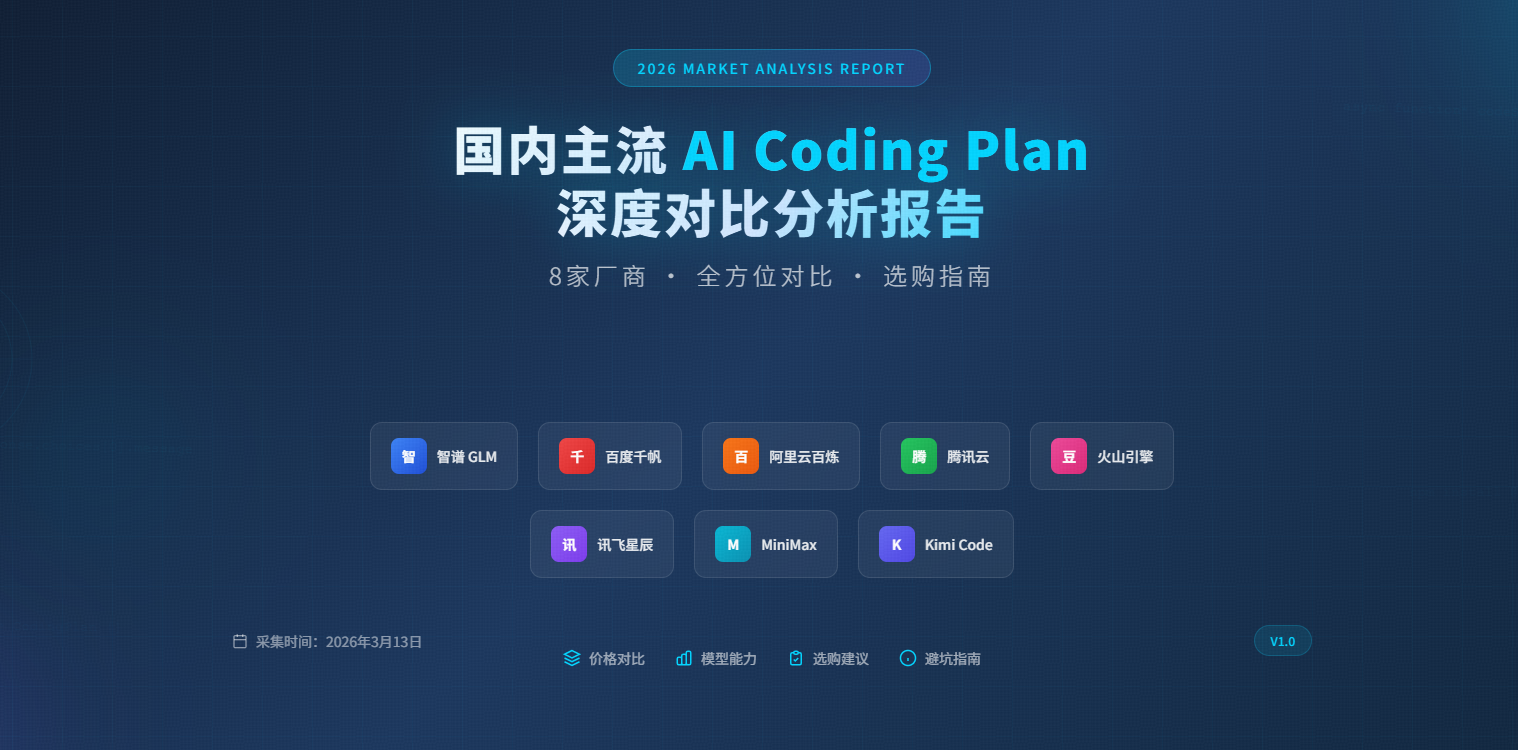
采集时间:2026年3月13日
报告范围:火山引擎、百度千帆、讯飞星辰、MiniMax、阿里云百炼、腾讯云、智谱GLM、Kimi Code
最近安装了小龙虾OpenClaw,由于工作比较忙,而且公司也不允许部署在公司内部的设备上,也就没怎么用,就平时在上下班的路上聊聊天,问问股票,校对文字内容,总结一下内容等。
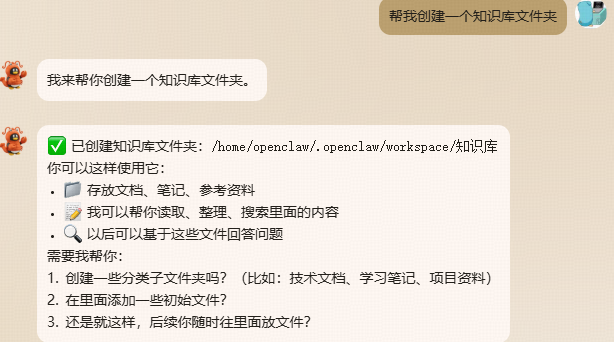
在新版本的OpenClaw 2026.3.2中,官方对安全权限做了调整,在openclaw.json这个配置文件中,默认的tools->profile是messaging
1 | "tools": { |
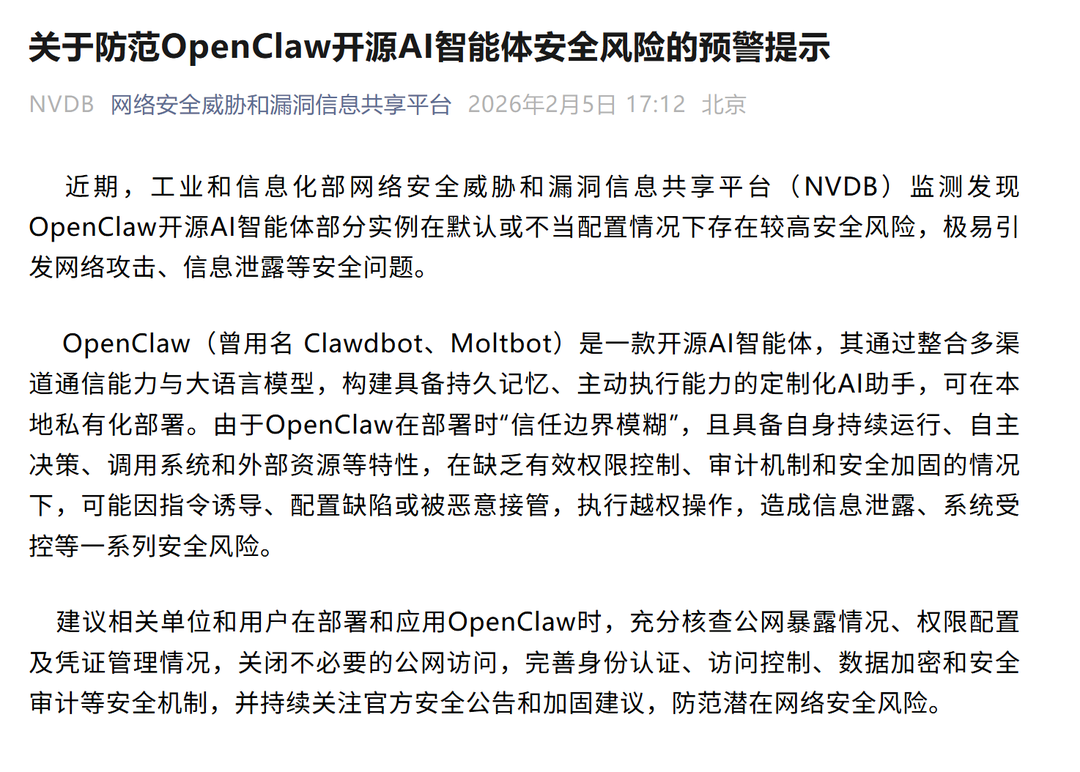
这是一个深思熟虑的安全权衡,新用户可能没有意识到让 AI 执行系统命令的潜在风险,因此默认限制为安全的聊天功能。如果你了解风险并希望使用完整功能,需要显式启用。最近,工信部提示OpenClaw开源AI智能体安全隐患,所以,在玩的时候,也要注意信息。